Wifi checking utility

NetStumbler

The program can come in handy if you are using a WLAN and you don't have signal or it is not working properly.

NetStumbler is a tool for Windows that allows you to detect Wireless Local Area Networks (WLANs) using 802.11b, 802.11a and 802.11g.

Features:

· Verify that your network is set up the way you intended.
· Find locations with poor coverage in your WLAN.
· Detect other networks that might be causing interference with your network.
· Detect unauthorized "rogue" access points in your workplace.
· Help aim directional antennas for long-haul WLAN links.
· Use it recreationally for WarDriving.

NetStumbler website 

Size: 1.3mb
DOWNLOAD

Self Medical Diagnosis and Treatment [Online]

MedlinePlus

Interactive Health Tutorials MedlinePlus presents interactive health tutorials from the Patient Education Institute.
Learn about the symptoms, diagnosis and treatment for a variety of diseases and conditions. Also learn about surgeries, prevention and wellness. Each tutorial includes animated graphics, audio and easy-to read language.
It has a list of common medical diseases & conditions.

Feature:
Very Handy at Emergency


Click here to go to Interactive Health Tutorial

Open-Source "Office"

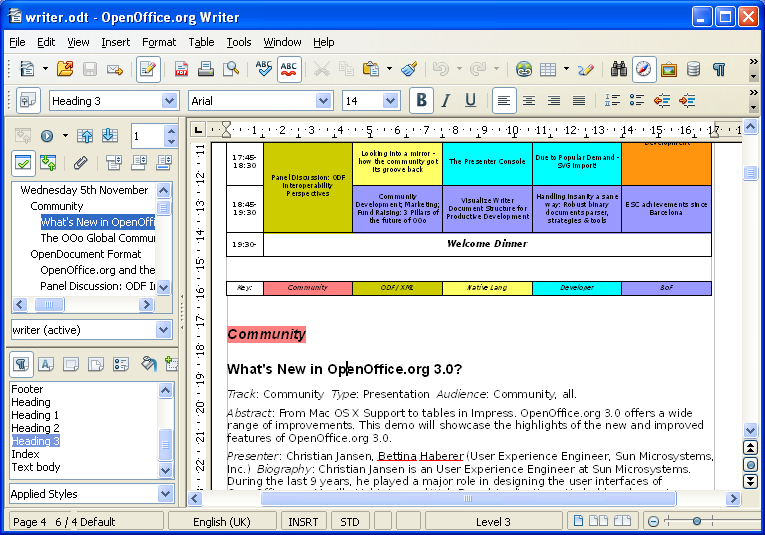
OpenOffice.org 3

It is the leading open-source office software suite  for word processing, spreadsheets, presentations, graphics, databases and more. It is available in many languages  and works on all common computers. It stores all your data in an international open standard format and can also read and write files from other common office software packages. It can be downloaded and used completely free of charge for any purpose.

Package Includes:

Writer has everything you would expect from a modern, fully equipped word processor or desktop publisher: powerful features like AutoCorrect, AutoComplete, AutoFormat, Styles and Formatting, Text Frames and Linking, Tables of Contents, Indexing, Bibliographical References, Illustrations, Tables, and other objects.


Calc  is the spreadsheet you've always wanted. Newcomers find it intuitive and easy to learn; professional data miners and number crunchers will appreciate the comprehensive range of powerful features including Advanced DataPilot technology, Natural language formulas, an Intelligent Sum Button, a comprehensive range of advanced spreadsheet functions, Styles and Formatting, and a Scenario Manager for "what ifs".

Impress  is a truly outstanding tool for creating effective multimedia presentations. Your presentations will stand out with 2D and 3D clip art, fontworks, special effects, animation, and high-impact drawing tools. A multi-pane view puts all the tools at your fingertips, and you can 'park' your most commonly used drawing tools around your screen ready for single-click access. Share your work in many ways: not only pdf, but also html and Flash.

Draw  anything from a quick sketch to a complex plan. Draw gives you the tools to communicate with graphics and diagrams. Manipulate objects, rotate in two or three dimensions; use sophisticated rendering to create photorealistic images. Smart connectors make short work of flowcharts, organisation charts, network diagrams, etc. Styles - a common OpenOffice.org feature - help you control your work easily and precisely in Draw.
A Draw image is worth a thousand words!


Base  enables you to manipulate database data seamlessly within OpenOffice.org 3. Create and modify tables, forms, queries, and reports, either using your own database or Base's own built-in HSQL database engine. Base offers a choice of using Wizards, Design Views, or SQL Views for beginners, intermediate, and advanced users.
Access your databases easily with Base.

size: 148mb
DOWNLOAD

pdf printer

Bullzip PDF Printer

The Bullzip PDF Printer works as a Microsoft Windows printer and allows you to write PDF documents from virtually any Microsoft Windows application.

Features:

    * Print to PDF from almost any Windows program.
    * Runs on Microsoft Windows 2000/XP/XP x64/2003/2003 x64/Vista/Vista x64/2008/Windows 7.
    * Supports 64-bit operating systems.
    * Direct output to the same file each time or prompt for destination.
    * Control if the printer should ask if you want to see the resulting PDF document.
    * Control output and prompts programmatically.
    * Setup can run unattended.
    * Graphical user interface.
    * Password protect PDF documents.
    * 128/40 bit encryption.
    * Quality settings (screen, printer, ebook, prepress).
    * Set document properties.
    * Watermark text, size, rotation, and transparency.
    * Superimpose/background documents.
    * Appending/prepending documents.
    * User interface control.
    * Command line interface to all settings.
    * COM/ActiveX interface for programmatic control.
    * Support for Citrix MetaFrame
    * Support for Windows Terminal Server
    * Multiple output types supported: BMP, JPEG, PCX, PDF, PNG, and TIFF.

Size: 4.1mb
DOWNLOAD

Photo Flash Maker

Anvsoft Photo Flash Maker v5.45

With Photo Flash Maker, you can create gorgeous photo flash slideshows in SWF format for watching on computer, burn the auto-run flash photo album to gift CD/DVD, build a web gallery with amazing flash slideshows with dynamic SWF + HTML + XML files, or upload the slideshows to our free web album Go2Album, and then embed the slideshows to MySpace, Blogger, Friendster and many other social websites.

Features:
1. Add music
MP3, WMA, WAV songs or CD sound track can be added to the slideshow. You can enable audio streaming if the flash is designed for website.

2. Add hyperlinks
Each photo in the slideshow can link to a target page or pop-out window.

3. Transitions, zooming and panning effect
You can choose from Random, Wipe from Left, Fade to White, Cross Expansion and other 60-plus transition effects. Zooming and panning effect is optional for advanced flash templates.

4. XML-driven
The advanced flash templates are XML-driven. The XML document allows more personalized controls over the flash.
Nonetheless, Photo Flash Maker creates XML-driven flash in a very straightforward way, even if you've never know what XML is, you can still use the advanced templates easily. And if you need to edit the XML document, we provide full instructions for doing so.

5. Dynamic customization
Besides XML control, the advanced templates provide many more custom options, so that you can create slideshow that fits into your existing web design: width , height, border color, background color, thumbnail size, etc. More about dynamic customization

6. Auto-playback and repeat mode
The flash slideshow will play automatically after preloading, and it can repeat playback.

7. Full screen mode
The advanced flash templates support full screen mode. Clicking the full screen icon at the corner of the slideshow can jump in and out of full screen mode.

8. Publish slideshow just about anywhere
When the flash sldieshow is created, you can save it on computer, burn gift CD/DVD, email it, upload to your web site, or upload to our free web album, and then add to MySpace, Blogger and many other social websites and blogs

size: 30.8mb
DOWNLOAD
Counting..